How to Play
Formation Fantasy is a head-to-head, draft-style fantasy game built on real MLS matches. You and your friends each draft a squad of MLS players, set a starting XI every matchweek, and play one opponent per week. This guide walks through a full season.
Getting Started
Create an Account
Open Formation Fantasy and sign up with an email and password, or continue with Google, Apple or Facebook.
Create or Join a League
Go to the Fantasy tab. Tap Create League to start your own, or Join League to enter a friend’s invite code.
Draft Your Squad
When everyone’s in, the league’s commissioner starts a live draft. Managers take turns picking MLS players until every squad is full.
Set Your Starting XI
Before each matchweek locks, choose 11 starters from your squad. Everyone else sits on your bench.
Compete Head-to-Head
Each matchweek you face one manager in your league. Your starters’ points are added up, and the higher total wins.
Leagues
Creating a League
From the Fantasy tab, tap Create League and choose:
- Name and optional description (up to 30 characters each)
- Number of teams: 4, 6, 8, 10 or 12
- Private or public
You become the league’s owner (commissioner). Your club is created automatically, and you can rename it or upload a crest from the Team tab.
Inviting Friends
Open your league, tap the ⋯ menu and choose Invite to get the league’s invite code. Friends join from the Fantasy tab with Join League and that code. A league can’t take more managers than its team limit.
The League Screen
Every league has four tabs:
| Tab | What’s there |
|---|---|
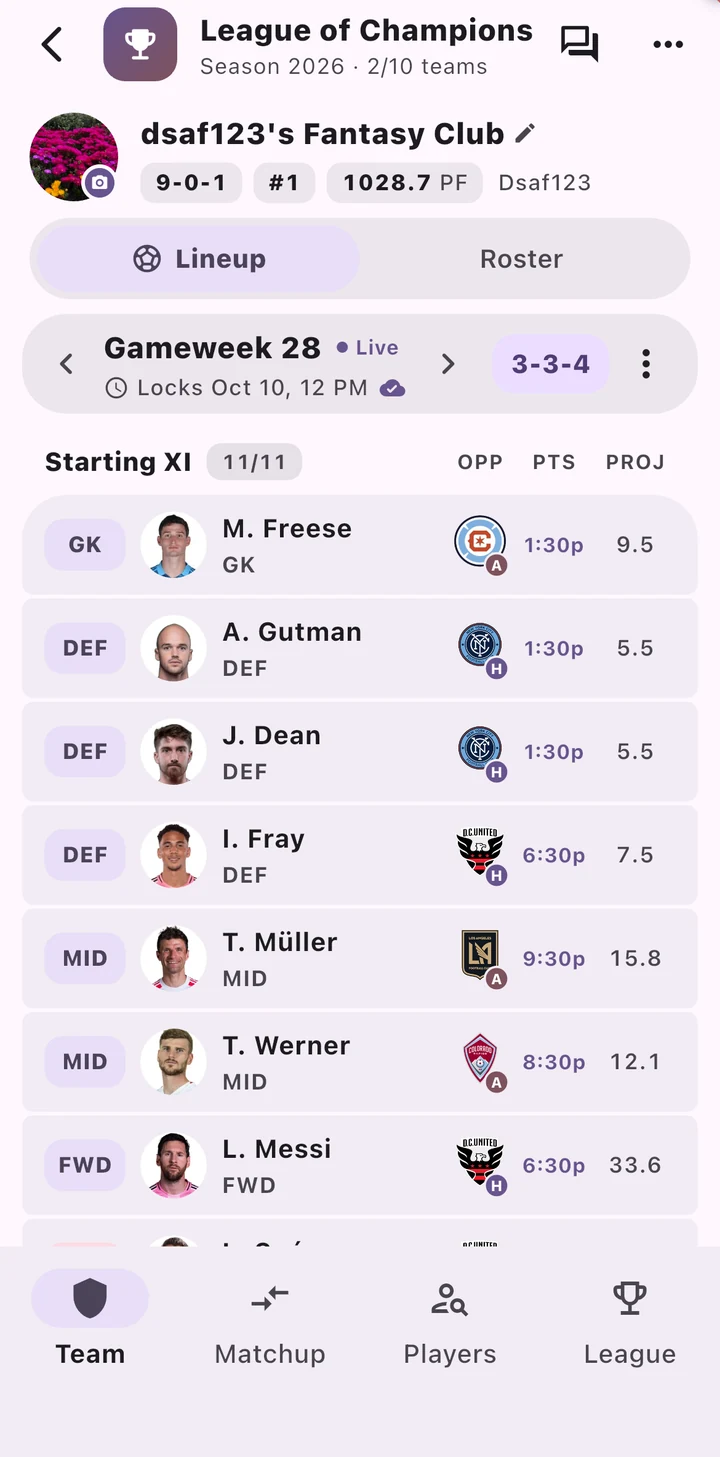
| Team | Your club, record and rank, your lineup for any matchweek, and your full roster |
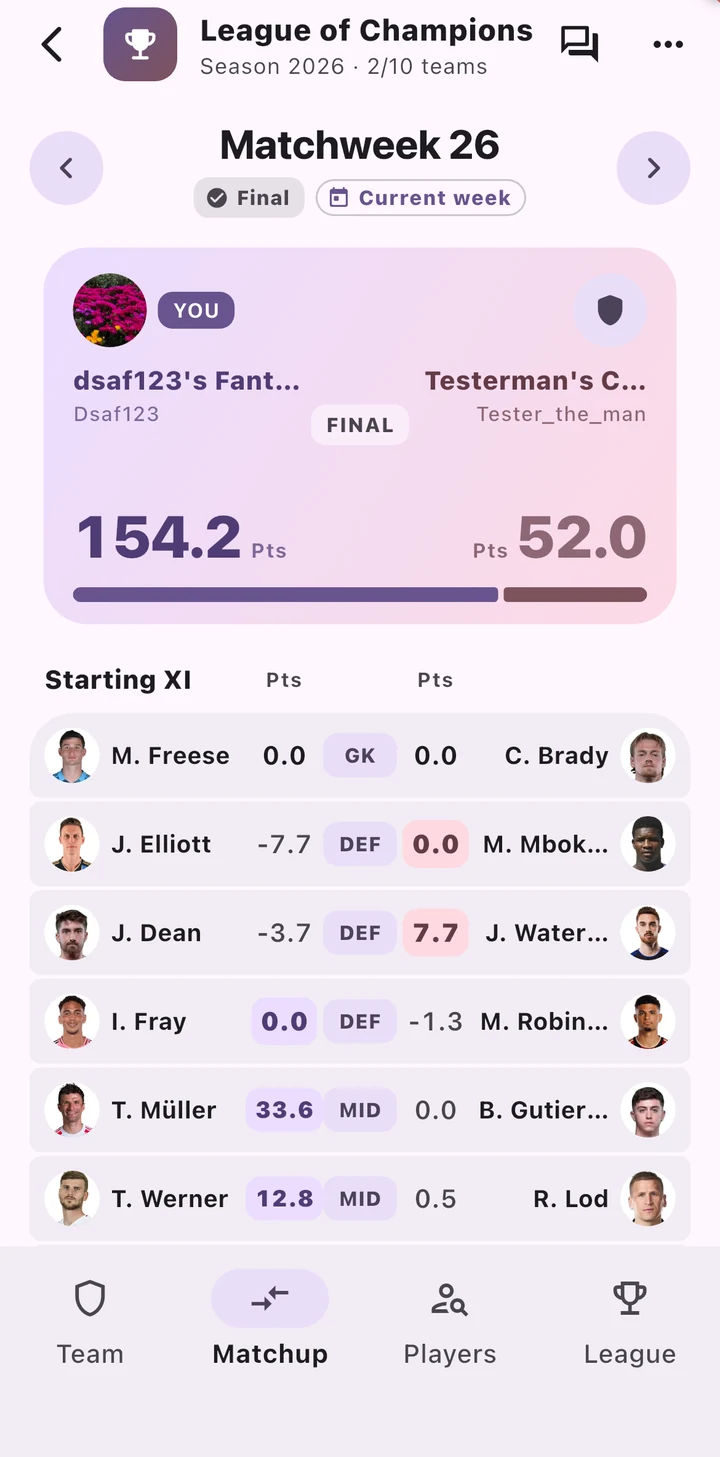
| Matchup | This week’s head-to-head scoreboard and a player-by-player comparison, with every matchup in the league one swipe away |
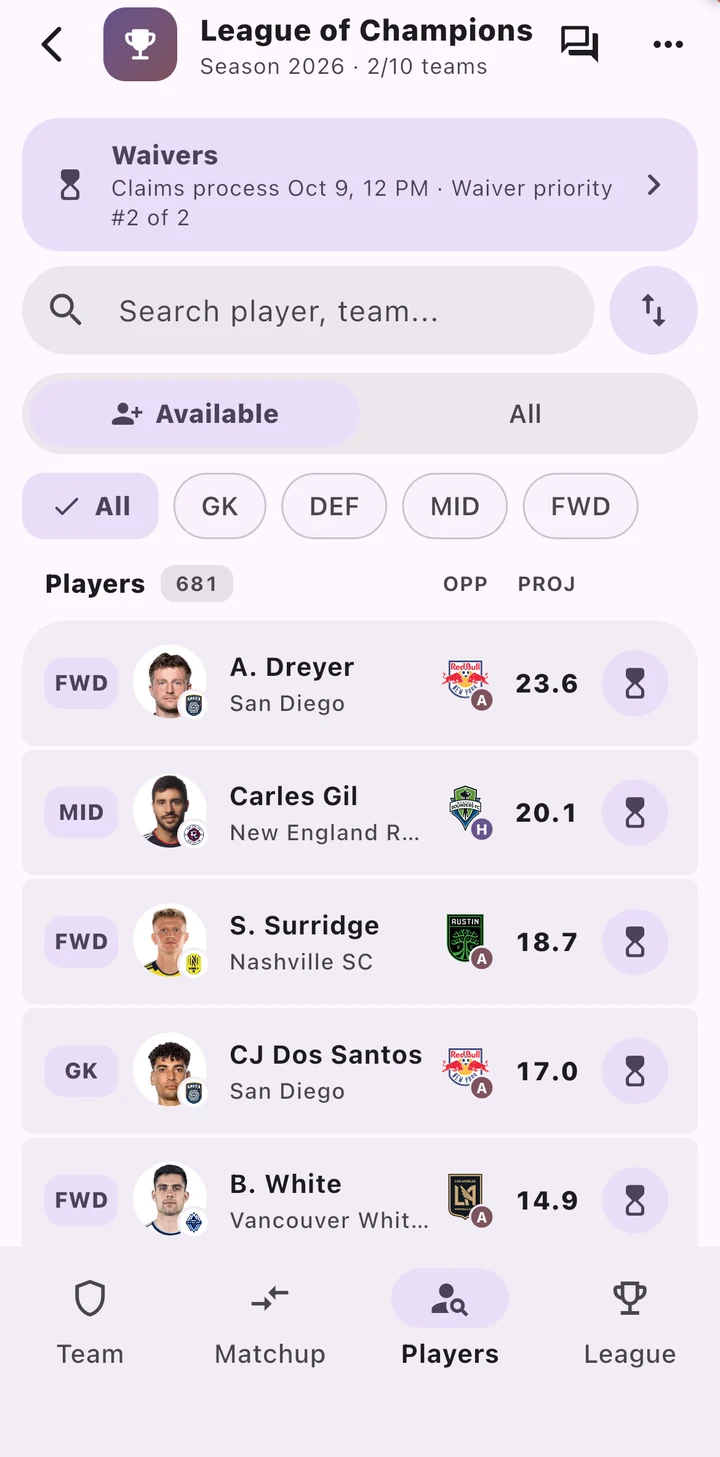
| Players | Every MLS player in the league’s pool, with search, position filters, projections, and who owns whom |
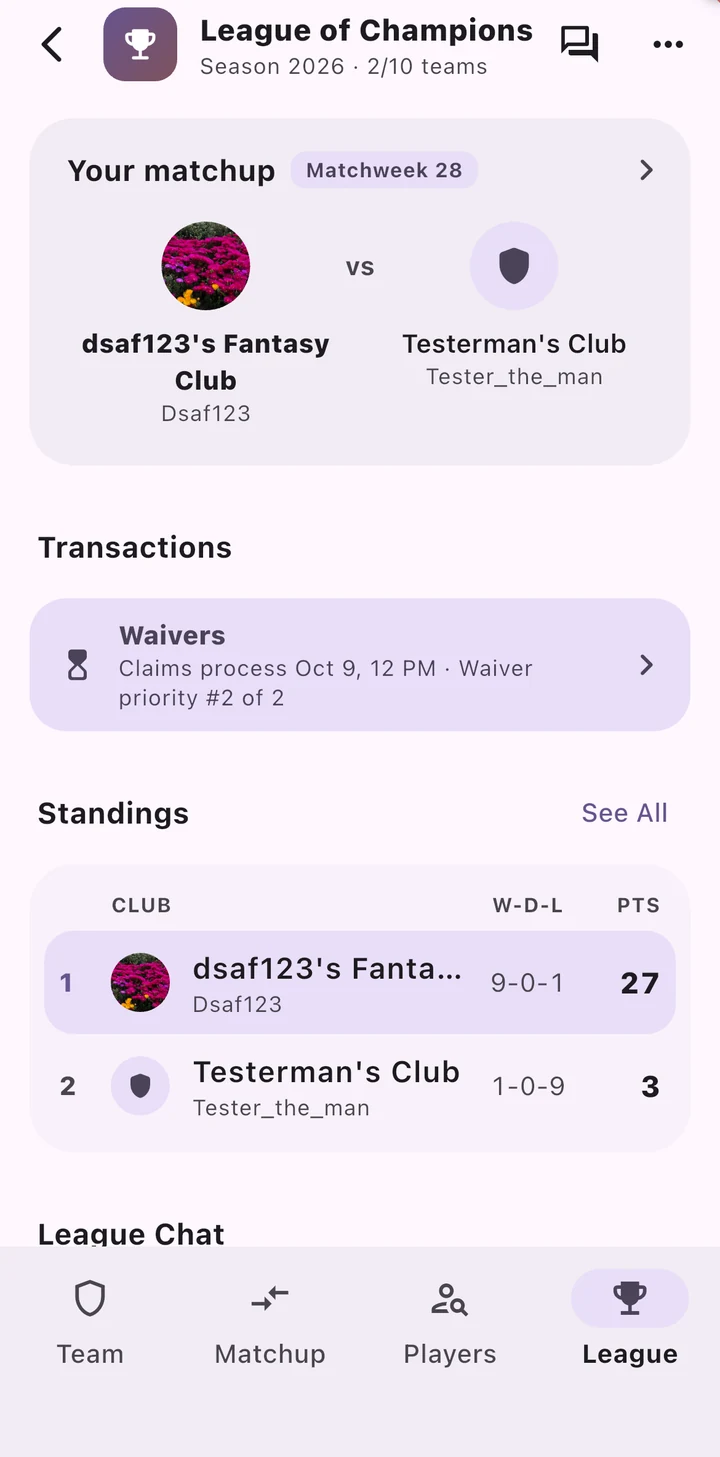
| League | Your current matchup, waiver/free-agency status, standings, league chat, the draft, scoreboard and schedule |
The Draft
Squads are built in a live draft. Each MLS player can only belong to one club in your league.
- Starting the draft: the commissioner (or a league admin) starts it from the draft room. Everyone in the room moves into the draft together.
- Draft order: a snake draft by default, where the order reverses every round. Commissioners can switch to a linear draft, where every round runs in the same order, and can set the order.
- Pick clock: every pick has a timer (30 seconds by default; the commissioner can change it).
- Queue: line up the players you want. If the clock runs out on your turn while you’re in the draft room, the app drafts the first player in your queue.
- Squad size: 16 players by default. Commissioners can set it anywhere from 16 to 24.
Setting Your Lineup
Every matchweek, choose 11 starters from your squad. Your remaining players are your bench, and bench players don’t score.
Lineup Slots
By default, a starting XI has:
| Slot | Count | Who can fill it |
|---|---|---|
| Goalkeeper | 1 | GK |
| Defender | 3 | DEF |
| Midfielder | 2 | MID |
| Forward | 1 | FWD |
| Flex | 4 | DEF, MID or FWD |
That means at least 3 defenders, 2 midfielders and 1 forward, with the flex spots letting you play formations like 3-4-3, 4-4-2, 5-3-2 or 3-3-4. Commissioners can change the slot counts for their league, including adding midfield/forward-only flex slots.
Lineup Deadlines
- The whole matchweek locks at its first kickoff. After that, you can’t change any starters for that matchweek, including players whose games are later in the round.
- Future matchweeks can be set early. You may need to revisit them if your roster changes.
- Past matchweeks are read-only.
- Quick lineup in the lineup’s ⋮ menu fills your XI automatically.
- Forgot to set a lineup? Your previous lineup carries over. If you’ve never set one, a lineup is built from your roster for you.
Matchups & Standings
The commissioner sets up the season’s head-to-head schedule in League Manager Tools. It’s a round robin, so you play every other manager in turn. With an odd number of managers, one manager has a bye each matchweek.
Your score for a matchweek is the total of your 11 starters’ points from their MLS matches that matchweek. Points update live during matches. See the Scoring System for exactly how players earn points.
Results feed the league table: 3 points for a win, 1 for a draw and 0 for a loss, with total fantasy points as the tiebreaker.
Waivers, Free Agency & Trades
Once your league’s draft is complete, you can change your squad. MLS matchweeks can be less than three days apart, so the transaction cycle follows each matchweek’s first kickoff rather than a fixed day of the week.
The Weekly Cycle
- Processing run: by default, 1 day before the next matchweek’s first kickoff (commissioners can choose 1 to 3 days). It never runs before the previous matchweek’s games have finished, and always leaves at least an hour before kickoff. At the processing run, accepted trades go through first, then waiver claims are processed.
- Free agency: from the processing run until the matchweek’s first kickoff, you can add unrostered players instantly, dropping someone if your squad is full.
- Waivers: from the first kickoff until the next processing run, every add is a waiver claim.
Waiver Claims
- Claims are processed by rolling priority. The top-priority manager with a valid claim gets their best claim, then moves to the back of the order.
- The starting waiver order is the reverse of the draft order. Commissioners can reorder it at any time, including setting it to reverse standings.
- You can rank your own claims and name a player to drop with each one (up to 20 pending claims). Other managers can’t see your claims. Results appear in the league’s activity log.
- A dropped player stays on waivers for at least 24 hours before becoming a free agent.
Trades
- Offer 1 to 5 players for 1 to 5 of another manager’s players. Each side must give at least one player.
- Both squads must still be legal after the trade. If you’ll receive more players than you send, choose who to drop.
- Proposals are private between the two managers. Once accepted, the trade is visible to the whole league, and the commissioner can veto it until it goes through.
- Accepted trades are completed at the next processing run, before waiver claims.
- Commissioners can set an optional trade deadline matchweek.
Commissioner Tools
League owners and admins have League Manager Tools (in the league’s ⋯ menu) for:
- League name and description
- Team limit (2–12) and whether the league is private or public
- Squad size (16–24)
- Draft format, pick clock, order and start time
- Lineup slots
- The matchup schedule (generate it, regenerate it or edit individual matchweeks)
- Waiver timing, the waiver order and the trade deadline, plus vetoing accepted trades
Quick Checklist
Before Each Matchweek
- Check your players’ upcoming matches on the Team tab
- Make any free-agent adds before the first kickoff
- Set your starting XI before the matchweek locks
- Line up waiver claims and trade offers for the next processing run